How to Choose the Best Portable SSD: Everything You Need to Know
Storage • AnantaGo • 👁️ 0 views
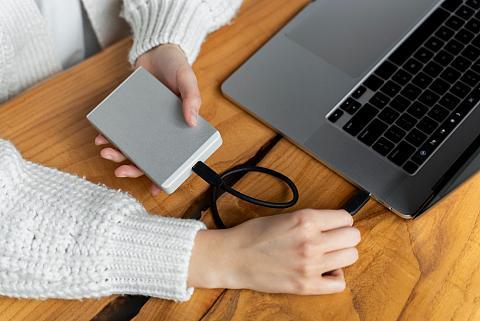
How to Choose the Best Portable SSD: Everything You Need to Know
External storage has become more important than ever. From high-resolution photos and 4K videos to work documents, games, and software, the amount of digital data we create continues to grow every year. Relying only on your computer's internal storage isn't always practical, especially if you work across multiple devices or need to carry important files wherever you go.
This is where a Portable SSD (Solid State Drive) becomes one of the most valuable technology accessories you can own. Unlike traditional external hard drives, portable SSDs offer much faster transfer speeds, greater durability, and a compact design that's easy to carry in a backpack or even a pocket.
However, choosing the right portable SSD isn't as simple as buying the model with the highest storage capacity. Factors such as transfer speed, compatibility, durability, security, and connectivity all play an important role in determining whether a drive meets your needs.
Whether you're a student backing up assignments, a professional working with large files, a photographer storing thousands of images, or a gamer expanding your storage, understanding these features will help you make a smarter purchase.
In this complete buying guide, we'll explain everything you should know before investing in a portable SSD.
What Is a Portable SSD?
A Portable SSD (Solid State Drive) is a compact external storage device that uses flash memory instead of moving mechanical parts to store data.
Unlike traditional hard drives, SSDs contain no spinning disks or moving read/write heads. This design makes them significantly faster, quieter, and more resistant to physical damage.
Portable SSDs connect to devices through USB-C or USB-A ports, allowing you to easily transfer files between computers, tablets, smartphones, and even some gaming consoles.
They are commonly used for:
Backing up important documents
Storing photos and videos
Editing large media files
Expanding laptop storage
Carrying work files
Game storage
Moving files between multiple devices
Their small size and high performance make them one of the most practical storage solutions available today.
Portable SSD vs External HDD
Many buyers wonder whether they should purchase a Portable SSD or a traditional External Hard Disk Drive (HDD).
Both have advantages, but they serve different needs.
Portable SSD
Advantages
Much faster file transfers
Lightweight and compact
No moving parts
Better resistance to drops and vibrations
Silent operation
Lower power consumption
Best For
Professionals
Students
Content creators
Travelers
Video editors
Everyday users who value speed
External HDD
Advantages
Lower cost for large storage capacities
Suitable for long-term backups
Good for storing large archives
Best For
Home backups
Archiving files
Users who don't frequently move the drive
If speed and portability are important, a Portable SSD is generally the better choice. If your main priority is storing a large amount of data at a lower cost, an HDD may still be worth considering.
Why Should You Buy a Portable SSD?
Many people don't realize how much time they can save by switching to a portable SSD.
Imagine copying hundreds of vacation photos, editing large videos, or transferring work files in minutes instead of waiting much longer. Faster storage improves productivity and makes everyday tasks feel more efficient.
A portable SSD is especially useful if you:
Frequently move files between devices
Travel for work or study
Edit photos or videos
Need secure backup storage
Work remotely
Want additional storage without replacing your laptop's internal drive
Because they're compact and durable, portable SSDs are easy to carry wherever you go, giving you access to your files whenever you need them.
Understanding Storage Capacity
One of the first decisions you'll make is choosing the right storage capacity.
Buying more storage than you need can increase costs unnecessarily, while buying too little may require another upgrade sooner than expected.
250GB–500GB
Ideal for:
Documents
Presentations
School assignments
Everyday backups
Personal files
This capacity works well for users with relatively light storage needs.
1TB
A 1TB portable SSD offers an excellent balance between storage space, portability, and value.
Suitable for:
Professionals
Students
Photographers
Remote workers
Everyday users
For many people, this is the most practical capacity.
2TB
If you regularly work with large media files, a 2TB SSD provides plenty of room for photos, videos, design projects, and backups.
Recommended for:
Video editors
Graphic designers
Gamers
Content creators
4TB and Above
Higher-capacity SSDs are designed for users with demanding storage requirements.
Best suited for:
Professional filmmakers
Production studios
Large creative projects
Extensive media libraries
Business backups
While these drives provide ample storage, they also tend to cost more.
Read Speed vs Write Speed
When comparing SSDs, you'll often see two important specifications:
Read Speed
Write Speed
Understanding these numbers helps you choose a drive that matches your workflow.
Read Speed
Read speed refers to how quickly the SSD can access and open stored files.
Higher read speeds result in:
Faster file access
Quicker application loading
Improved workflow
Better overall responsiveness
Write Speed
Write speed measures how quickly new data can be saved to the drive.
Faster write speeds are especially beneficial when:
Copying large videos
Backing up computers
Saving RAW photos
Editing high-resolution content
For users working with large files every day, write speed can have a significant impact on productivity.
USB-C vs USB-A
The type of connection used by your SSD affects both compatibility and performance.
USB-C
USB-C has become the preferred standard for many modern laptops, tablets, and smartphones.
Advantages include:
Faster data transfer
Reversible connector
Better future compatibility
Supports higher performance
If your devices include USB-C ports, choosing a USB-C SSD is often the best long-term option.
USB-A
USB-A remains widely used and offers excellent compatibility with older desktops, laptops, and accessories.
Benefits include:
Broad compatibility
Easy connection to older devices
Reliable performance
Some portable SSDs include both USB-C and USB-A cables or adapters, making them more versatile across different devices.
Durability and Build Quality
One of the biggest advantages of portable SSDs is their durability.
Unlike traditional hard drives, SSDs contain no moving mechanical components. This makes them much better at handling accidental bumps, vibrations, and minor drops during everyday use.
However, build quality still varies between models.
Look for features such as:
Shock-resistant construction
Durable metal or reinforced casing
Compact design
Heat management
Water or dust resistance (where available)
A well-built portable SSD is a worthwhile investment, especially if you travel frequently or carry it in your backpack every day.
Compatibility: Will It Work With Your Devices?
Before purchasing a portable SSD, it's important to ensure it's compatible with the devices you plan to use. Most modern portable SSDs work across multiple platforms, but checking compatibility beforehand can save you from unexpected issues.
Windows Computers
Most portable SSDs work immediately with Windows devices. Simply connect the drive using the appropriate cable, and it's usually ready for file transfers.
Ideal for:
Office work
School projects
File backups
Photo and video storage
macOS
Portable SSDs are also widely supported on macOS. Some drives may require reformatting depending on how you plan to use them, especially if you'll be sharing files between different operating systems.
Tablets and Smartphones
Many newer tablets and smartphones support external SSDs through USB-C connections.
This makes portable SSDs useful for:
Backing up photos and videos
Freeing up internal storage
Editing media files
Transferring files between devices
Always confirm that your device supports external storage before purchasing.
Gaming Consoles
Many gaming consoles support external SSDs for storing or playing compatible games.
Benefits include:
Faster game loading
Extra storage space
Easy game management
Convenient backup for game libraries
If gaming is one of your priorities, check your console's storage requirements before selecting an SSD.
Security Features Worth Considering
If your SSD stores important documents, personal photos, business files, or sensitive information, security should be one of your top priorities.
Many modern portable SSDs include useful protection features.
Password Protection
Password protection prevents unauthorized users from accessing your files if the drive is lost or stolen.
Hardware Encryption
Some SSDs include built-in hardware encryption, adding an extra layer of protection without noticeably affecting performance.
This is particularly useful for professionals handling confidential information.
Automatic Backup Software
Some manufacturers provide software that automatically backs up selected folders, helping reduce the risk of accidental data loss.
Although optional, these tools can make regular backups much easier.
Common Mistakes to Avoid
Buying a portable SSD is an investment, so avoiding common mistakes can help you get the best value.
Buying More Storage Than You Need
A larger SSD isn't always the best choice.
If you mainly store documents and photos, purchasing a very high-capacity drive may not be necessary.
Ignoring Transfer Speeds
Some buyers focus only on storage capacity while overlooking read and write speeds.
If you regularly transfer large files, speed can make a significant difference in your daily workflow.
Forgetting Compatibility
Always verify that your laptop, tablet, smartphone, or gaming console supports the SSD's connection type.
Using adapters may reduce convenience or performance.
Choosing Based Only on Price
The cheapest option isn't always the best value.
Build quality, warranty, customer support, and long-term reliability should also influence your decision.
Skipping Regular Backups
An SSD is reliable, but no storage device is completely immune to failure.
Keeping multiple backups of important files is always recommended.
Which Portable SSD Is Best for You?
Students
Students typically need reliable storage for assignments, presentations, research, and personal files.
A compact SSD with moderate capacity is usually sufficient for everyday academic use.
Office Professionals
Professionals often work with spreadsheets, presentations, reports, and project files.
A fast SSD with dependable performance can improve productivity while making file transfers much quicker.
Content Creators
Photographers, video editors, and graphic designers usually benefit from larger storage capacities and faster transfer speeds to handle high-resolution media efficiently.
Gamers
Gamers often need additional storage for expanding game libraries and reducing loading times on compatible systems.
Choose an SSD with fast performance and enough space for current and future games.
Travelers
People who frequently travel should prioritize compact size, durable construction, and reliable performance.
Shock-resistant designs provide additional peace of mind when carrying the drive every day.
Tips to Extend the Life of Your Portable SSD
Although SSDs require less maintenance than traditional hard drives, proper care helps maximize their lifespan.
Here are a few simple recommendations:
Avoid disconnecting the SSD while files are being transferred.
Use the operating system's safe eject option before unplugging the drive.
Store the SSD in a protective case during travel.
Keep the drive away from excessive heat and moisture.
Update firmware if the manufacturer releases improvements.
Avoid dropping the drive, even if it is advertised as shock-resistant.
Following these practices helps maintain both performance and data reliability.
Frequently Asked Questions
How long does a portable SSD usually last?
With normal use and proper care, a quality portable SSD can remain reliable for many years.
Is a portable SSD faster than an external hard drive?
Yes. Portable SSDs generally offer much faster read and write speeds, making them ideal for transferring large files and improving productivity.
Can I use the same SSD with multiple computers?
Yes, provided the devices support the drive's connection type and file system.
Is a portable SSD suitable for backing up photos?
Absolutely. Portable SSDs are an excellent option for storing photos, videos, and important documents.
Do portable SSDs require external power?
Most portable SSDs receive power directly through the USB connection, eliminating the need for a separate power adapter.
Are portable SSDs waterproof?
Some models offer water and dust resistance, but not all. Always check the manufacturer's specifications before relying on this feature.
What storage capacity should I choose?
The ideal capacity depends on your usage. Consider the types of files you store today and allow room for future growth.
Should I buy an SSD or an HDD?
If speed, portability, and durability are your priorities, an SSD is usually the better choice. If you mainly need very large storage at a lower cost, an HDD may still be suitable.
Portable SSD Buying Checklist
Before purchasing, ask yourself these questions:
✅ Is the storage capacity right for my needs?
✅ Does it offer fast read and write speeds?
✅ Is it compatible with my devices?
✅ Does it use USB-C, USB-A, or both?
✅ Is the build quality durable?
✅ Does it include security features?
✅ Is there a manufacturer warranty?
✅ Does it have positive customer reviews?
Using this checklist can help you narrow down your options and choose a drive you'll be happy with over the long term.
Final Thoughts
A portable SSD is one of the most practical technology investments you can make. Whether you're backing up family photos, managing work documents, editing creative projects, or expanding storage for multiple devices, the right SSD can make your digital life more efficient and organized.
Rather than focusing only on storage capacity, take time to evaluate transfer speeds, compatibility, durability, security features, and overall reliability. A well-chosen portable SSD can save time, protect valuable data, and continue serving your needs for years.
As technology continues to evolve and file sizes grow larger, fast and dependable external storage is becoming increasingly important for students, professionals, creators, and everyday users alike.
At AnantaGo, our mission is to help you make informed technology purchases through detailed buying guides, practical advice, and honest recommendations. By understanding the key features that matter most, you can confidently choose a portable SSD that fits your workflow, budget, and future storage needs.